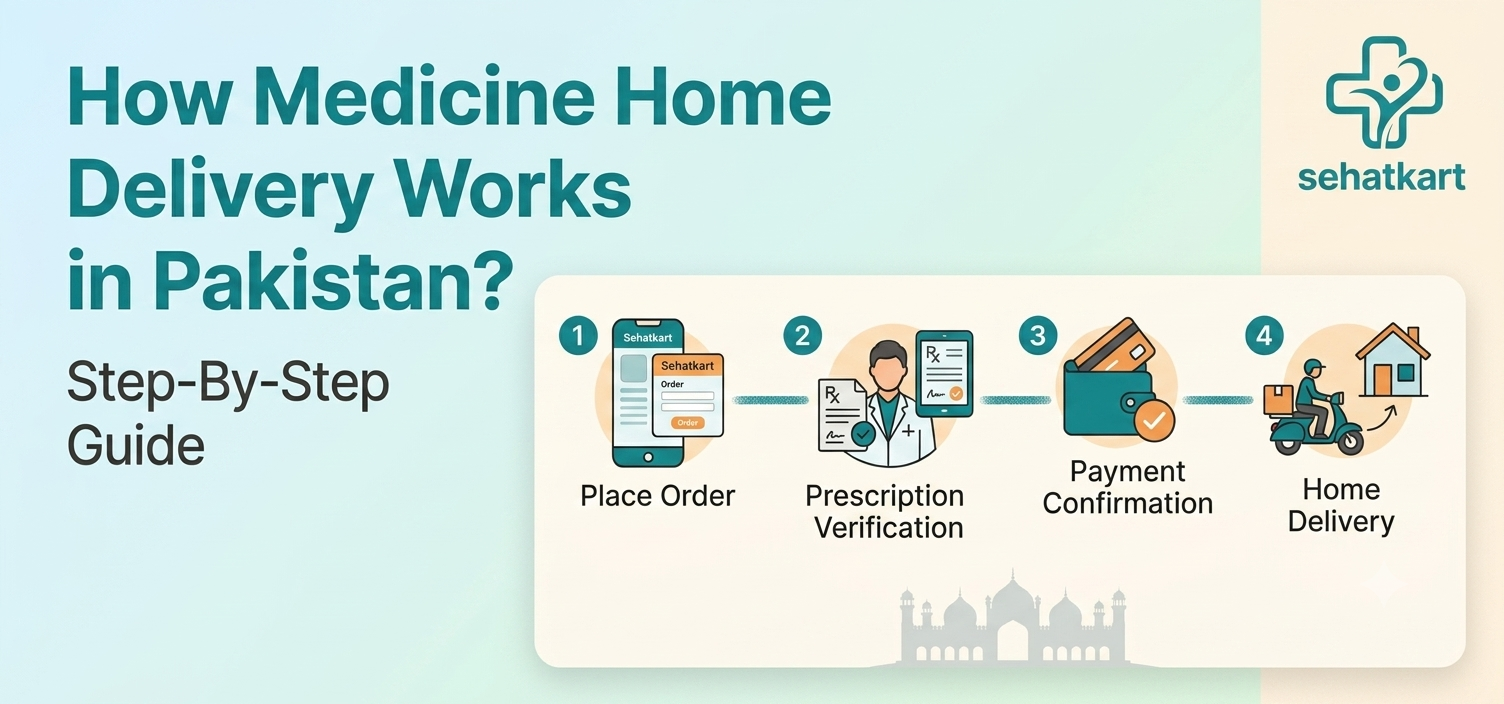
Medicine home delivery in Pakistan works by connecting a customer's online order to a verified local pharmacy, which prepares the medicine and hands it to a rider for doorstep delivery, all without the customer visiting a pharmacy counter.
The full process, from placing an order to receiving it at home, involves a few short steps: browse a pharmacy, add products to cart, confirm your delivery address, pay, and wait for the rider. No app download is required.
This guide covers exactly how that process works in practice on SehatKart's platform, including what happens on the pharmacy and rider side between when an order is placed and when it arrives, so there are no surprises at any stage.
SehatKart currently runs this model in Sadiqabad, Punjab, where every pharmacy partner is DRAP-verified before being listed, and the same approach is expanding to other cities across Pakistan.
The Full Order Flow, Step by Step
Step 1: Go to sehatkart.co, No App Needed
Open sehatkart.co on any browser, phone, tablet, or computer. There is no app to download and no account required to browse. The homepage shows a search bar where you can look up a specific medicine by name, and a Pharmacies page where you can browse all listed DRAP-verified pharmacies in Sadiqabad.
Step 2: Find Your Medicine and Add It to Cart
Select your desired pharmacy. Search for the medicine by brand name or generic name. Products show price per unit, pack size, and whether a prescription is required. Once you find what you need, add it to cart. If a product requires a prescription, the platform handles that separately through the prescription upload flow rather than as a standard cart item.
Bonus tip: Searching by generic name (e.g. "paracetamol" rather than a specific brand) often shows more results across different pharmacies, giving you a broader view of what's available and at what price.
Step 3: Enter Your Delivery Details
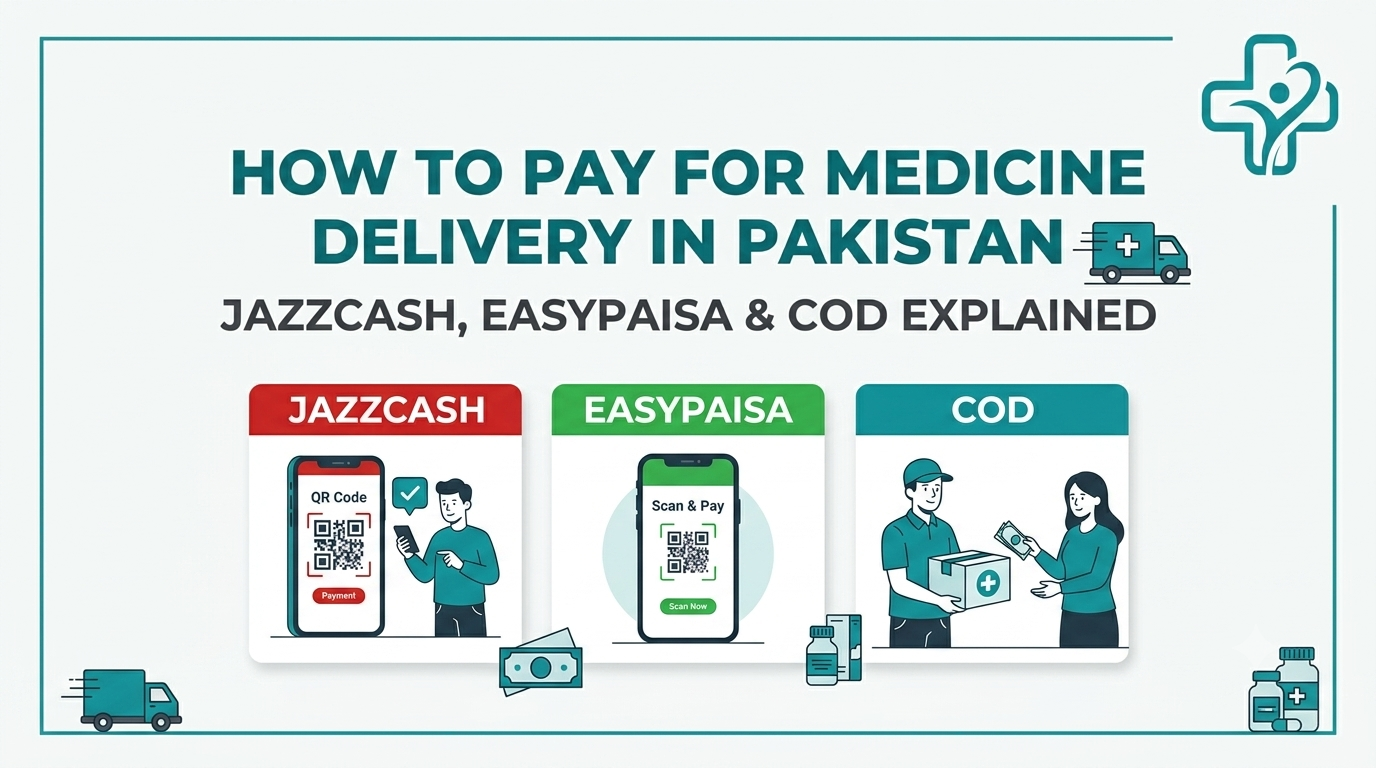
At checkout, enter your name, phone number, and delivery address within Sadiqabad. The platform covers multiple areas across the city, if your area is listed, delivery applies. Select your payment method: JazzCash, EasyPaisa, or Cash on Delivery.
Step 4: Place the Order
Submitting the order sends a simultaneous notification to the pharmacy and to all active riders, both are alerted at the same time rather than in sequence. This means a rider is already aware of the order while the pharmacy is preparing it, rather than waiting for preparation to finish before rider coordination begins.
Step 5: Pharmacy Confirms the Order
The pharmacy reviews the order and confirms it. If anything is unclear, a product name, a quantity, or a prescription requirement, this is the stage where follow-up happens via the contact number provided. Once confirmed, riders are notified again that the order is ready for pickup.
Step 6: A Rider Accepts and Picks Up the Order
The first available rider to accept the order gets assigned to it, this is handled automatically through the platform, not manually. The rider goes to the pharmacy, collects the prepared medicine, and begins delivery.
Step 7: Medicine Delivered to Your Door
The rider delivers directly to the address provided. If Cash on Delivery was selected, payment is made to the rider on arrival, only after the order is in hand. A delivery confirmation is logged in the system once the order is marked delivered.
What the Platform Fees Cover?
The cost of a medicine delivery order on SehatKart consists of the medicine price itself plus two platform fees, both fixed and shown at checkout before payment.
SehatKart Order Fee Breakdown
| Fee | Amount | What It Covers |
|---|---|---|
| Platform fee | Rs. 30 | Order processing and routing through the marketplace |
| Delivery fee | Rs. 130 | Rider's delivery to the customer's address |
| Medicine cost | Varies by product | Set by each pharmacy; visible before adding to cart |
There are no hidden charges added after checkout. The total shown before placing the order is the total paid.
What to Check Before Placing Your First Order?
A few things are worth confirming before placing a medicine delivery order for the first time, particularly for prescription items or ongoing medication:
- Is the medicine in stock at a listed pharmacy? Product availability is shown on each pharmacy's listing. If a specific medicine isn't listed by one pharmacy, check whether another pharmacy on the platform carries it. If not, contact us at +923006707390.
- Does the medicine require a prescription? Products marked as prescription-required cannot be ordered through the standard cart flow, use the prescription upload option on the homepage instead.
- Is your address within a covered area? Sadiqabad delivery covers multiple areas across the city. Entering your area at checkout will confirm whether delivery applies before any payment is made.
- Is the order being placed within operating hours? Orders are accepted between 8:00 AM and 10:00 PM Pakistan time. Orders placed outside these hours are queued for the next available slot rather than processed immediately.
- Does the medicine need cold storage or special handling? For temperature-sensitive products, confirm with the pharmacy directly before ordering. Standard rider delivery is not temperature-controlled.
Bonus tip: For ongoing medication that needs to be refilled regularly, placing the order a day or two before running out avoids the pressure of same-day urgency, pharmacy stock and rider availability both vary across the day.
Payment Options for Online Medicine Orders in Pakistan
| Payment Method | How It Works | Cash Needed at Door |
|---|---|---|
| Cash on Delivery | Pay the rider when medicine arrives | Yes |
| JazzCash | Pay at checkout via mobile wallet | No |
| EasyPaisa | Pay at checkout via mobile wallet | No |
All three options are accepted on every order. Cash on Delivery is the most familiar option for first-time customers who prefer to inspect the delivery before paying.
Do I need to create an account to order medicine online?
Browsing is open without an account. An account makes it easier to track orders and reorder, but is not required to place a first order.
Can I order medicine for a family member at a different address?
Yes, enter the recipient's delivery address and contact number at checkout. The rider delivers to whatever address is provided, not to the account holder's address by default.
What happens if the pharmacy doesn't have one of the items in my order?
The pharmacy will contact you using the phone number provided to flag any out-of-stock items before the order is dispatched. You can adjust or cancel the affected part of the order at that stage.
Is there a minimum order value for medicine delivery?
No minimum order value applies. A single product order is processed the same way as a larger one, with the same Rs. 30 platform fee and Rs. 130 delivery fee regardless of cart size.
What happens if my order is not confirmed by the pharmacy within a certain time?
Orders not confirmed within 15 minutes are automatically cancelled by the system, you will receive a notification, and no payment is processed for a cancelled order if Cash on Delivery was selected.
Can I track my order after placing it?
Order status updates are sent at key stages, when the pharmacy confirms, when a rider is assigned, and when the order is marked delivered. The platform's tracking page shows current order status.
What if a rider cannot find my address?
The rider has access to the contact number provided at checkout and will call to confirm the location before marking an order as undeliverable. Providing a clear landmark alongside the street address reduces the chance of this happening.
Can I cancel an order after placing it?
Cancellation is straightforward before the pharmacy confirms the order. Once a rider has picked up the medicine, cancellation is no longer practical, contact support as early as possible if a cancellation is needed.
What if I want to order prescription medicine but don't have a written prescription?
A valid prescription from a licensed doctor is required for prescription-only medicines. If the prescription is recent and the doctor is reachable, getting it issued and uploaded is the correct path, ordering prescription medicine without one bypasses a legal and safety requirement.
Conclusion
Medicine home delivery in Pakistan works through a short, clearly structured process: browse a verified pharmacy, place an order, confirm delivery details, and receive the medicine at home via a rider.
The parts that happen behind the scenes, pharmacy confirmation, rider assignment, real-time notification, are automated rather than dependent on manual coordination, which keeps the flow consistent rather than variable by day or by pharmacy.
For prescription medicines, the upload flow handles the process separately from a standard cart order, the steps are slightly different but the delivery outcome is the same. For anything involving dosage questions, drug interactions, or deciding between medicines, consult a pharmacist or doctor directly rather than relying on the ordering platform for that guidance.
Order Medicine in Sadiqabad Today
Browse pharmacies and place your first order at sehatkart.co — no app needed, no account required to start. SehatKart's support team is reachable at support@sehatkart.co or on WhatsApp at [+92 300 6707390](tel:+92 300 6707390) for questions before or after an order. Have a prescription? Upload it directly from the homepage.